Know About Refreshing and Resetting Your Windows 8 or 10 PC
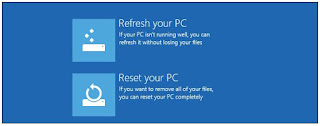
Windows users regularly reinstall Windows (or restore from a recovery partition) to fix system problems. Windows 8 or 10 include easier-to-use “Refresh” and “Reset” options that quickly restore Windows to a fresh, factory default configuration. Just as mobile devices have an integrated “reset to factory defaults” option, so does Windows 8 or 10. You can even create your own refresh image or access these options if your computer can’t boot. The Difference Between Refresh and Reset Windows 8 or 10 have two factory reset options, named Refresh and Reset. Both reset your computer to a fresh, factory default sate. Refresh preserves your files and installed Modern programs, while Reset removes everything on your system. When you Refresh your PC: · Windows will save your personal files, personalization settings, and Modern apps installed from the Windows Store. · Windows wi...